It does the grunt work on your deals. What goes out is your call.
The Revenue Assistant reads your mail and calendar through your own AI on your computer, Claude Code or Codex, draws a map of everyone you deal with, and brings you a draft for each next step. Your deals never touch our servers.
Three steps, and the first takes a minute
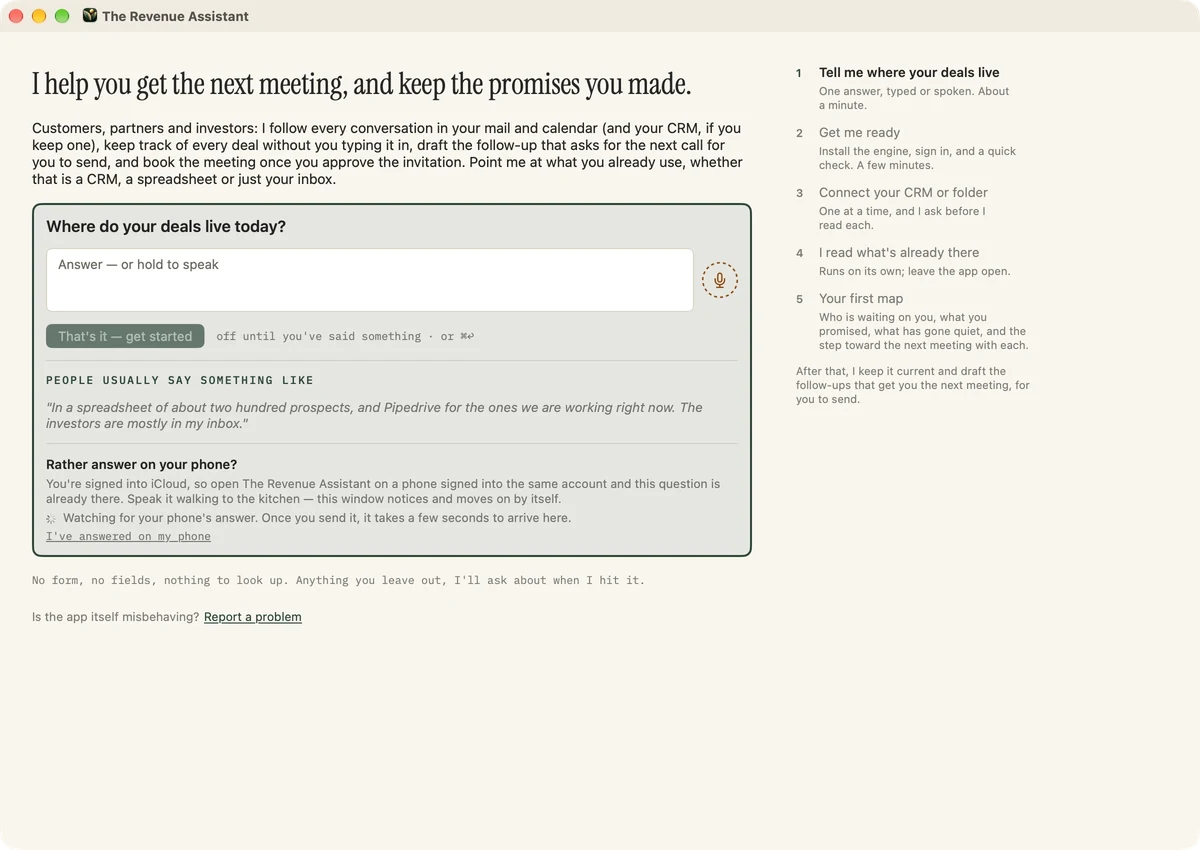
One question: where do your deals live, and where does your team keep its work? A sentence is enough. Point it at your website or a deck, your team's shared folder, and the inbox, spreadsheet or CRM you already use.
One at a time, each with a sentence on why. Anything you say no to stays unread. It reads the last 90 days and draws your first map.
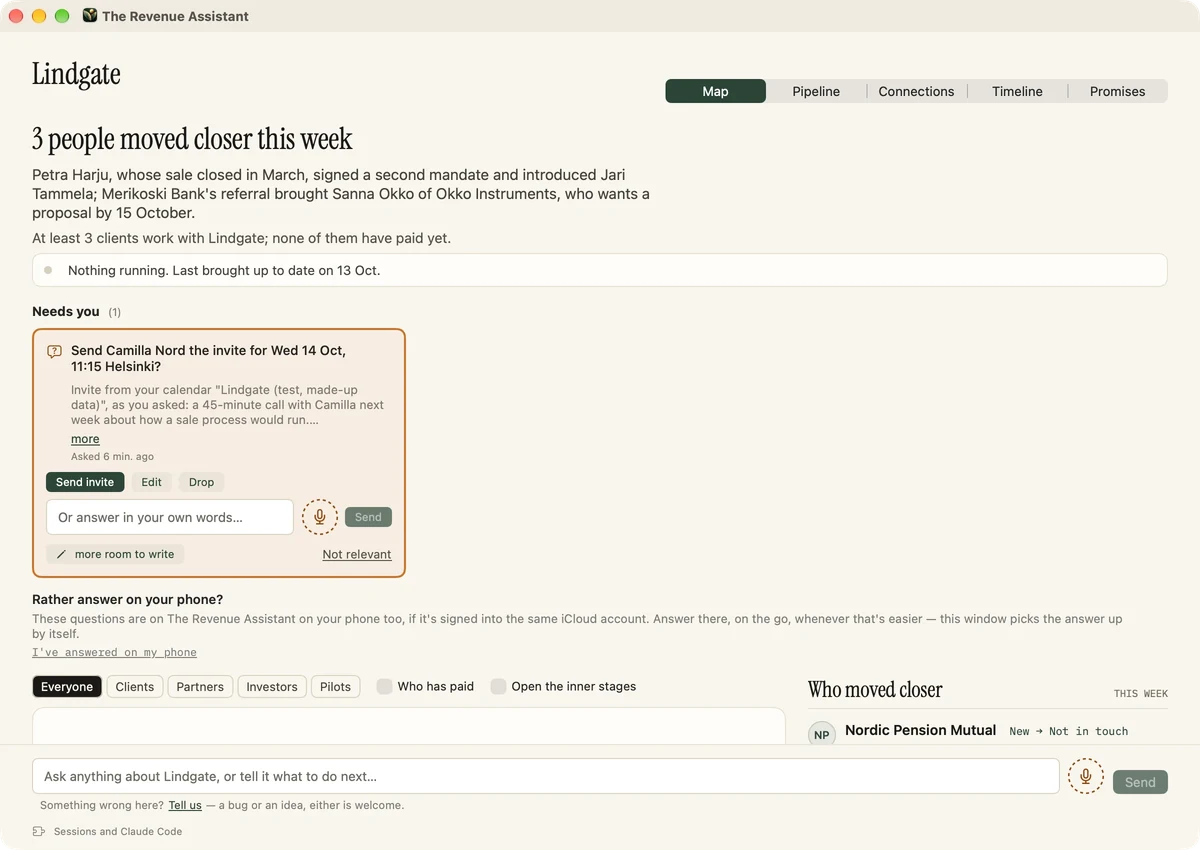
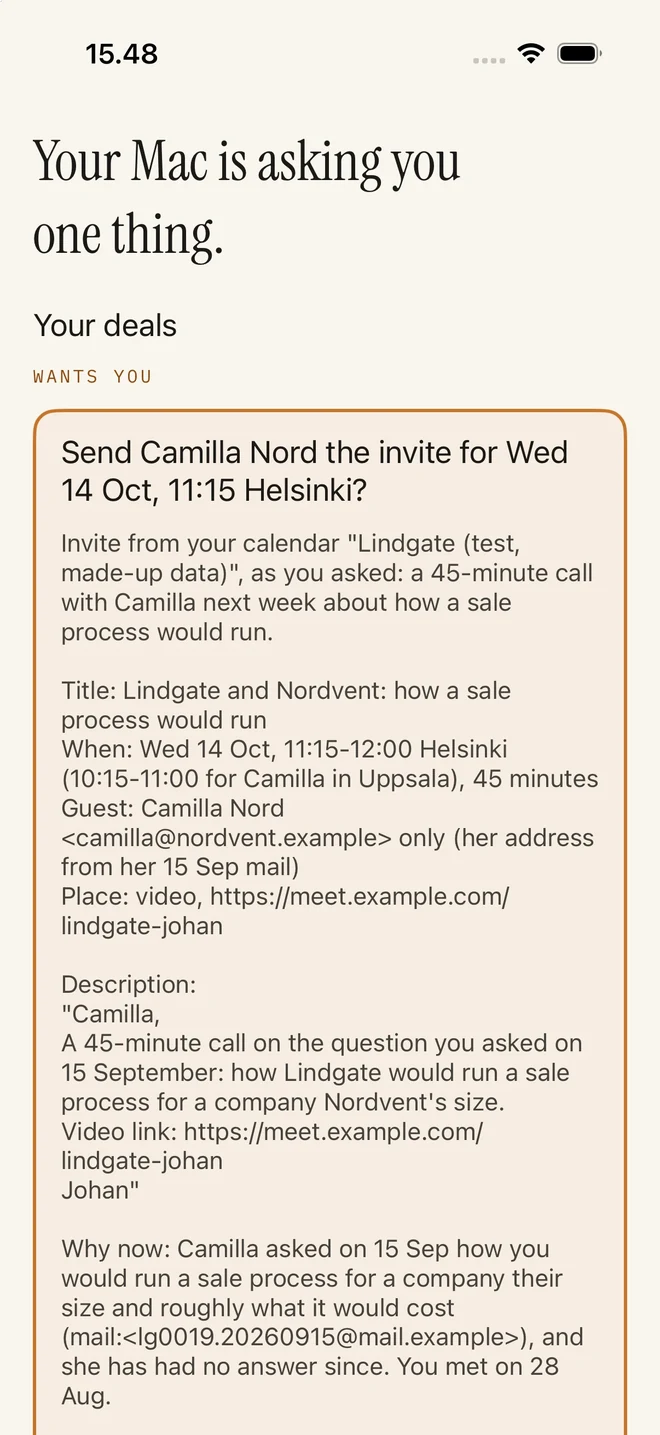
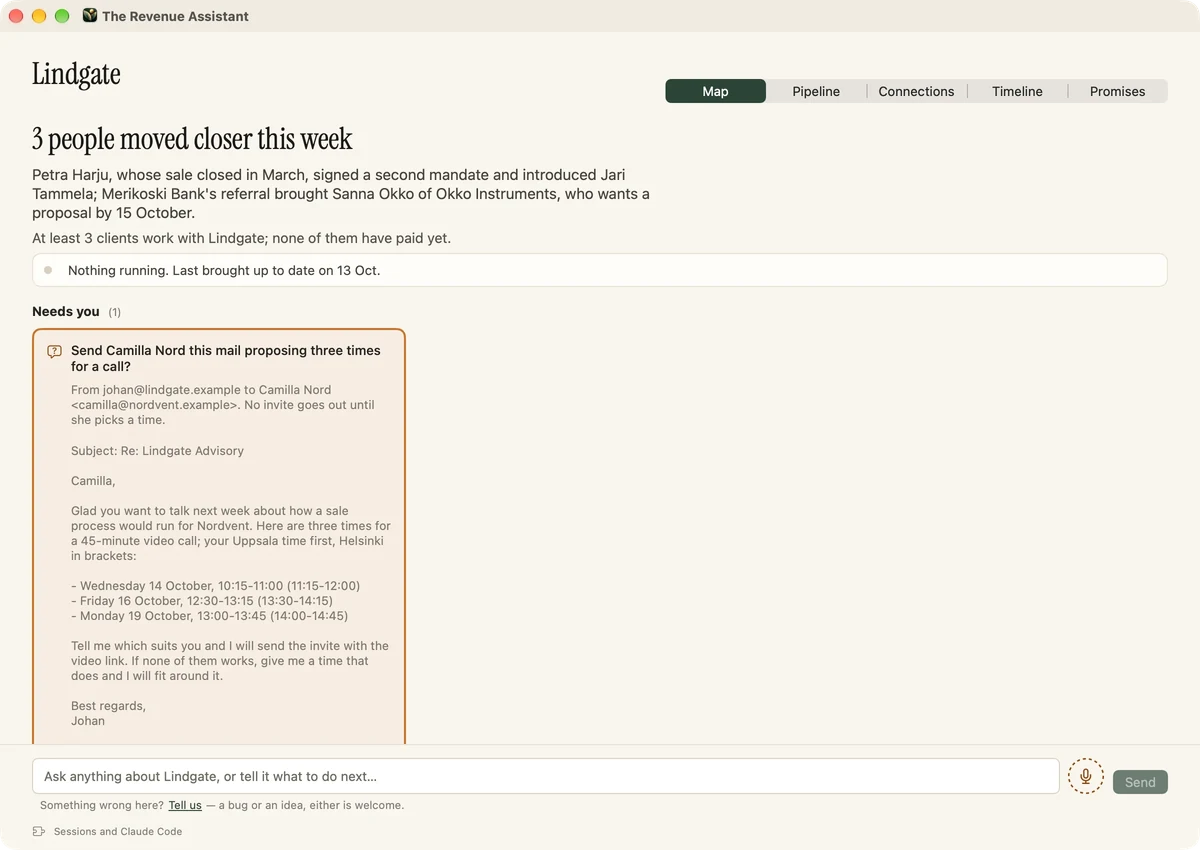
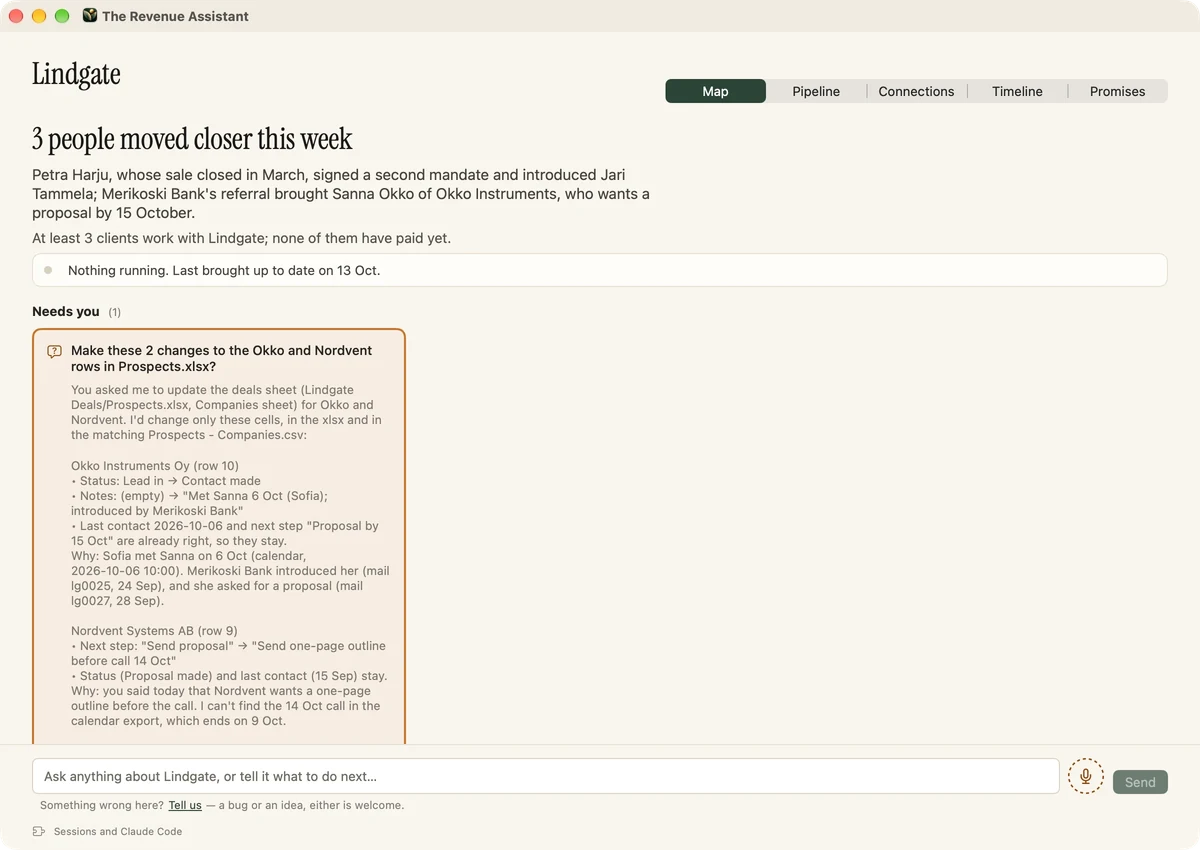
It drafts the follow-up, the invitation and the CRM change. Each comes to you as a card, on your computer, or on your iPhone with the Mac app, to send, edit or drop.
Six ways deals reach you, and it works on all of them
A deal rarely starts in one place: someone reads your article, fills in the contact form, and asks for a call a month later. The Revenue Assistant works on every way in, from the follow-up after a meeting to the page your prospects find in a search and the campaign you pay for. It suggests first what leads to a conversation soonest.
The people you and your colleagues already know, and every conversation you are in.
It suggests: The follow-up after Tuesday's meeting, the investor who went quiet three weeks ago, and the next meeting to book.
How you work on it: It drafts the email or the invitation, and you send it from your own account.
Clients and contacts who introduce you to someone new.
It suggests: Who could introduce you to the firm you want to reach, the note asking them, and a thank-you to the client who sent someone your way.
How you work on it: It shows the path on your map and drafts the ask, and you send it or ask in person.
Companies that bring you deals, for a cut: advisers, platforms, firms that sell next to you.
It suggests: Partners whose clients look like yours, with where each was found and why it fits, and a first message to the likeliest one.
How you work on it: It researches them and drafts the first message, and you send it from your own account.
People who found you through a search, an article or an AI assistant's answer, and got in touch.
It suggests: A reply to whoever filled in your contact form, a page that answers the question your prospects search for, and a listing in the directory your buyers use.
How you work on it: It reads your site's analytics and Search Console. Replies and listings are drafts you send or submit; if your site is in a repo, a new page comes as a change you review and merge.
People who follow you: your newsletter, LinkedIn, a community.
It suggests: A follow-up to the three people who downloaded your guide, a post for your own channels, and, where sign-ups are measured, a note to someone who started signing up and stopped.
How you work on it: You publish the posts yourself, and follow-ups go from your own account. If nothing measures sign-ups yet and your site is in a repo, it proposes the tracking.
Events, ads and sponsorships you pay for.
It suggests: Which event or campaign actually led to meetings, and a new campaign drafted with the ads, who it reaches, what it would spend and the page it lands on.
How you work on it: It reads your ads account. It is designed to leave launching and spending to you: you set a campaign live yourself.
Everything it drafts waits on your computer, where you read it and steer it in the review window, typing or speaking, on your Mac or PC; the iPhone app brings drafts and questions to you as cards. What a teammate needs goes into your team's folder. AI makes mistakes, and what it does under your accounts is your responsibility.
See a week go past
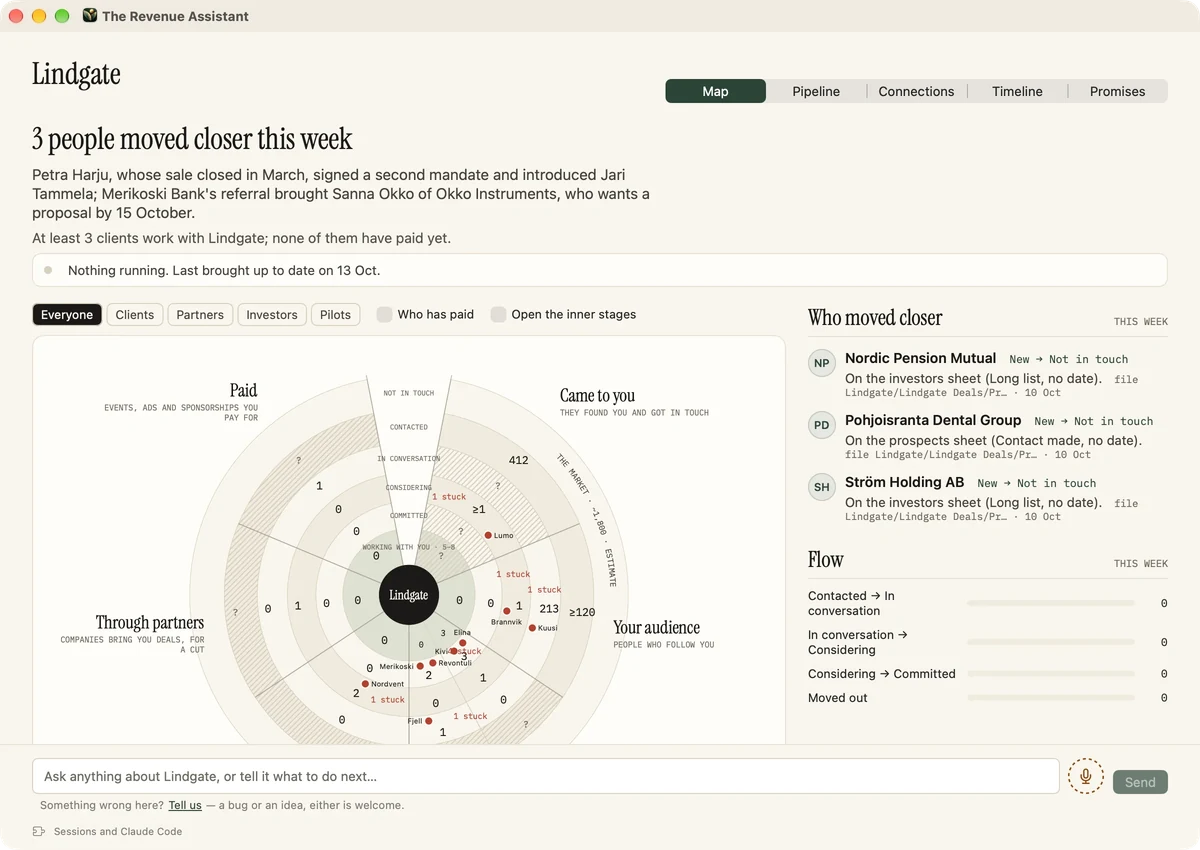
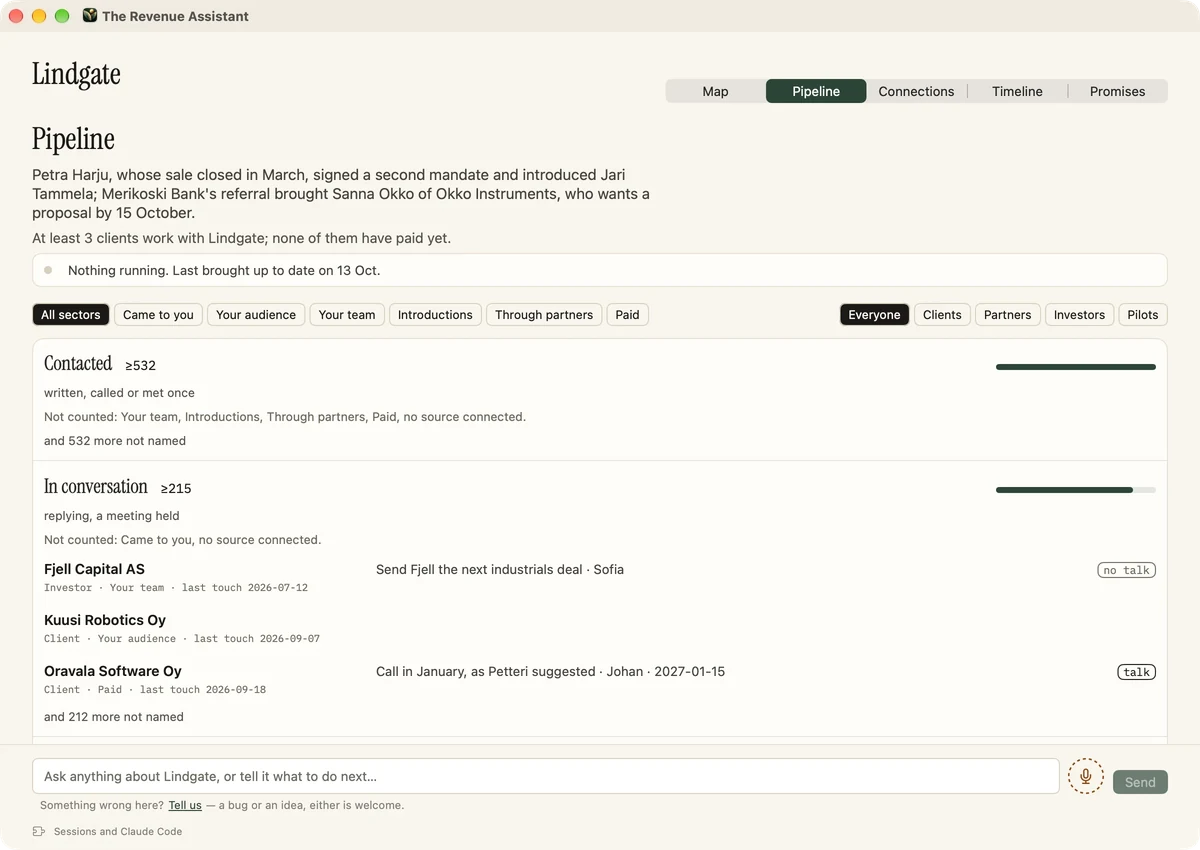
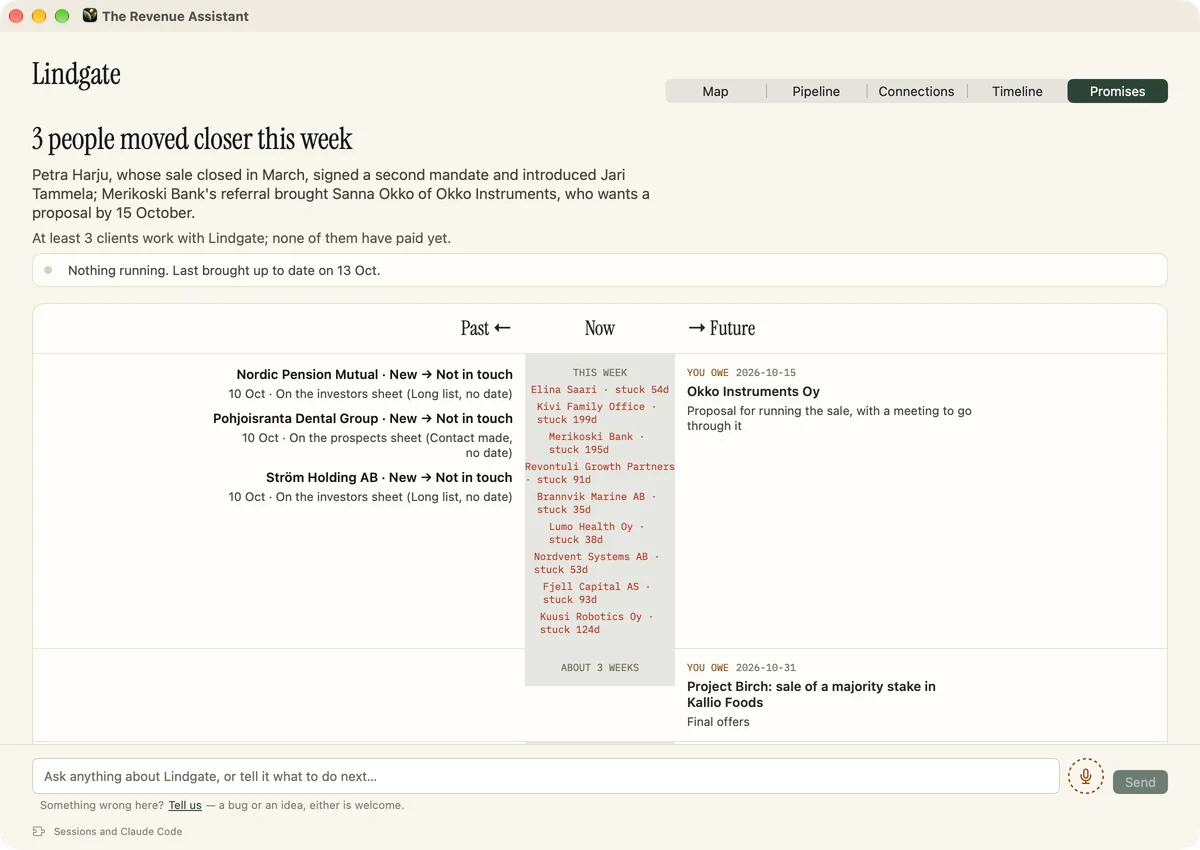
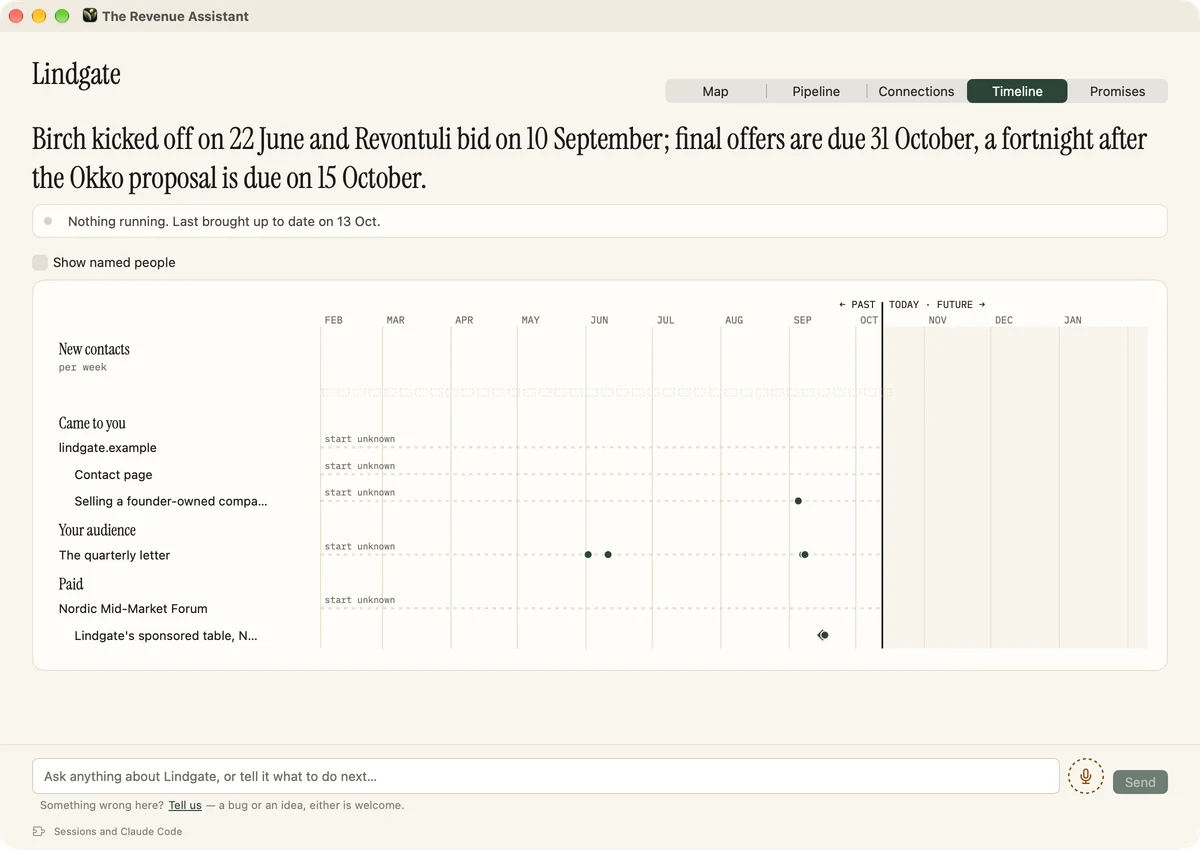
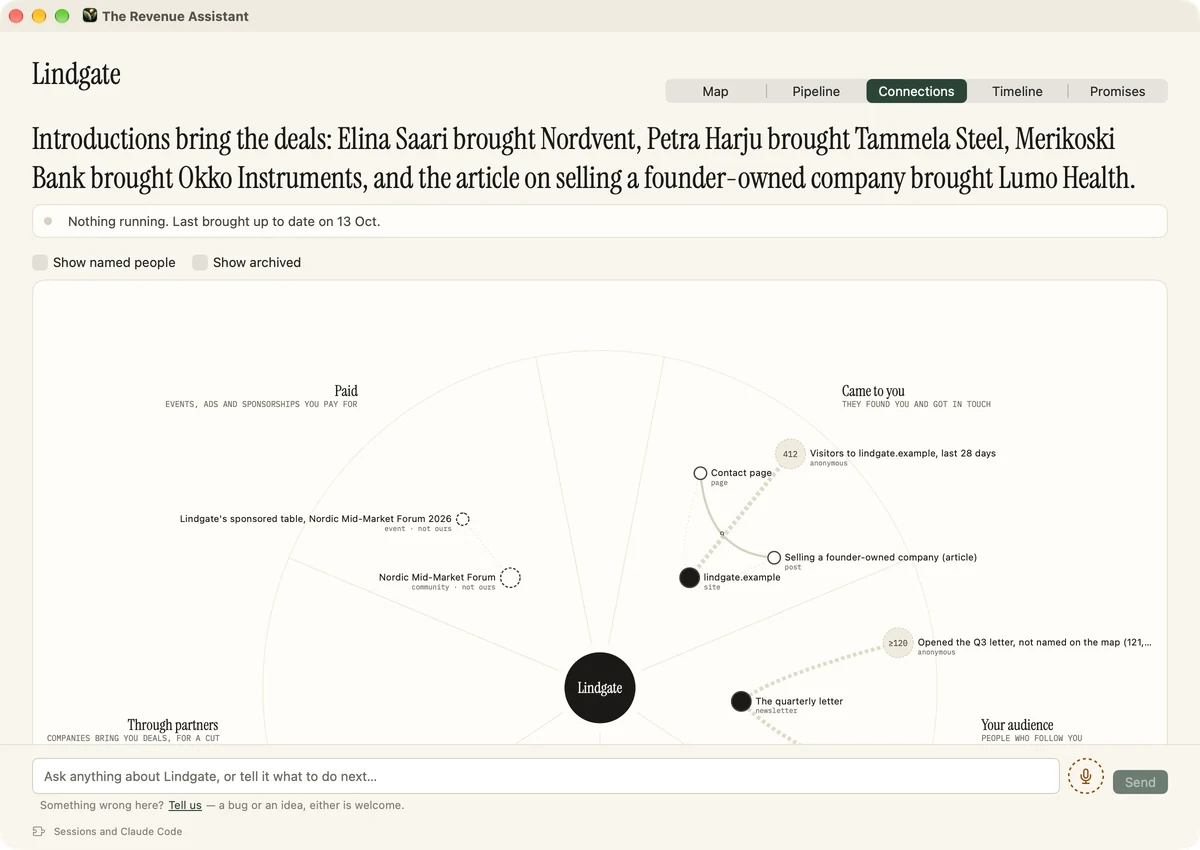
Lindgate is an invented advisory firm with a dozen deals on the go. This is its week, screen by screen, from the first question to the follow-ups.
Your part is small
AI makes mistakes, and everything it sends or changes for you is your responsibility, so read what it drafts. The Revenue Assistant does the research, the drafting and keeping track of who promised what.
To your mail, your calendar and your CRM, in Chrome on your computer, signed in as you. It works alongside you there.
Messages, invitations and CRM changes are designed to come to you as drafts. Read each one: AI makes mistakes, and what goes out is your responsibility.
Tell it in your own words when someone is on the wrong deal or a stage is off, and it keeps the correction.
What it shows you
Who is waiting on you. What you promised, to whom and by when, with the email it came from, so you can keep the promise and propose the next meeting in the same message.
Who has gone quiet. Someone you were close to, with nothing heard for over a month, and the last time you spoke.
Where each fact came from. Every line cites the message, meeting or page behind it, and anything nobody wrote down is shown as unknown rather than guessed.
More than one map, if you work on more than one firm or mandate.
A map, not a funnel
A list of stages doesn't tell you what to do next, because a deal rarely moves through them in order. It moves through introductions, investors and partners at the same time, over months, and the person who unblocks it is often not the client. So The Revenue Assistant works from a map of everyone you deal with and says what is due with each of them. You can still read it as a pipeline: the further along you are with someone, the nearer the centre they sit, and a Pipeline view lists every deal by stage when you want it.
What it needs from you
- A Mac or a Windows PC. With a Mac, the free iPhone app too if you want the cards on your phone.
- Your own AI subscription: Claude (Anthropic, through Claude Code) or ChatGPT (OpenAI, through Codex). The app installs the one you choose.
- Your mail and calendar connected to it, for example through a mail connector or your mail account in the app's Chrome window.
- If you use a CRM, your own account in it: any CRM you can open in a browser, such as HubSpot, Salesforce, Pipedrive, or Microsoft Dynamics 365. You sign in to it once, in the app's Chrome window.
- For booking meetings, your Google Calendar or Outlook, signed in on your computer.
Is it safe for my clients' correspondence?
No new cloud. Every new cloud a firm puts its correspondence into is one more risk, and The Revenue Assistant adds none. It runs on your Mac or Windows PC with your own AI, Claude or ChatGPT, under your own agreement with its provider, and your work stays in your own SharePoint, Google Drive or CRM. What it reads goes from your computer to your AI provider to do the job, and your deals never touch our servers: we hold no copy, and there is no server of ours in between. Our data layer holds public company data only, and the companies you look up in it are not stored.
- It drafts each message, invitation and CRM change for you to approve, and you send it, edit it or drop it.
- Someone who has asked not to be contacted is marked on every one of your maps, and it checks that mark before it drafts anything to them.
- It is told to stay out of anyone's private life: family, health, politics and home.
- It isn't another CRM to feed, and it doesn't ask you to move your deals into one.
Try it with your team
Download the app and sign in with your work email: it's free for 30 days, with no card. Then it's €49 a month for a team of three, and €19 for each seat after that. Our B2B data layer is a product of its own, €199 a month for the whole firm, with a 30-day money-back guarantee.